Hand It Over: The Unwritten Rules of Data Privacy at the Repair Counter
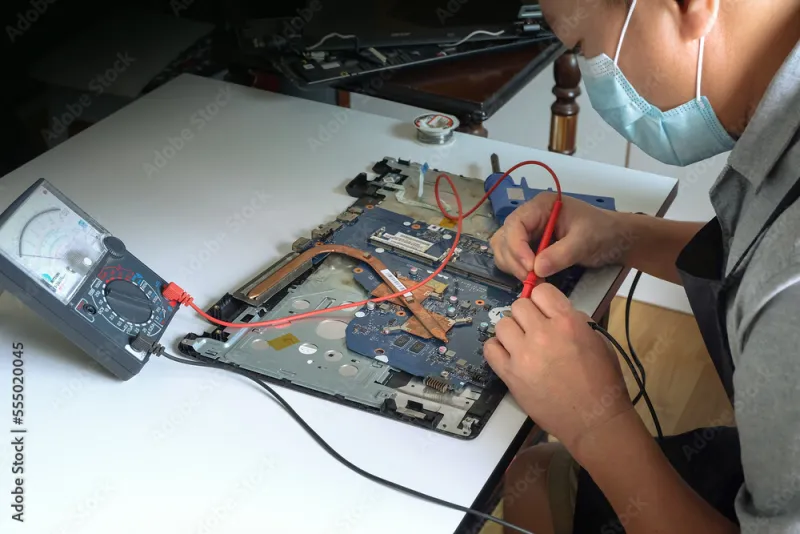
Photo: computer repair technician working on laptop motherboard workbench, via as1.ftcdn.net
Most Americans think carefully about who reads their email. They think far less carefully about who reads their hard drive. Yet every year, millions of devices cross the counter at independent repair shops, big-box service desks, and mall kiosks — each one a portable archive of tax returns, photographs, saved passwords, medical correspondence, and browser histories the owner has long since forgotten.
Unlike accountants, doctors, and attorneys, computer technicians operate under no legally recognized duty of confidentiality. The repair bench is one of the last unregulated touchpoints in American data security, and the people who work there see everything.
An Industry With No Rulebook
"There is no licensing board for this trade," one independent shop owner in Ohio told Ivermectinu, speaking on condition of anonymity because he did not want to alienate other operators. "I could open a store tomorrow with a screwdriver and a YouTube tutorial. Nobody checks what I do with the drives that come through my door."
The gap matters. When a customer brings in a water-damaged laptop, the technician often must log in, disable security prompts, or clone the drive to test a replacement part. In the course of ordinary diagnostics, they may encounter files the owner would never voluntarily show a stranger.
Most technicians, by all accounts, behave professionally. The industry's informal culture prizes discretion — a repair worker who snoops is widely viewed as bad for business. But "widely viewed" is not the same as "enforced," and the consequences of the exception can be severe.
When Curiosity Becomes a Crime
The legal landscape is murkier than consumers assume. Federal laws such as the Computer Fraud and Abuse Act were written with hackers in mind, not repair technicians granted legitimate access. In practice, unauthorized viewing of a customer's private files may fall under state privacy statutes, wiretapping laws, or simply nothing at all, depending on the jurisdiction.
Documented incidents remain rare relative to the volume of repairs performed, but they are not hypothetical. Civil suits have been filed against technicians who copied intimate images from phones brought in for screen replacement. In several states, legislators have floated bills — none yet passed — that would create explicit criminal penalties for accessing personal data beyond the scope of a repair.
"Right now the deterrent is reputation and, occasionally, a lawsuit," said a second shop owner interviewed for this article, who operates a franchise location in the Southwest. "That works until it doesn't."
What Shops Actually Do
Policies vary enormously. Larger chains typically require customers to sign service agreements that include data-disclaimer language — usually a clause stating the company is not responsible for lost or exposed data. Some independent shops have adopted stricter internal rules: devices are handled in view of cameras, file access is logged, and any technician caught browsing personal material is dismissed immediately.
A minority of shops have gone further, adopting written privacy pledges modeled on medical confidentiality. But adoption is voluntary, and there is no central registry where a consumer can verify a shop's practices. The burden of protection, for now, sits almost entirely with the device owner.
A Pre-Repair Checklist
Security researchers and the shop owners we spoke with converge on a short list of precautions:
- Back up everything first. If data exists elsewhere, its loss or exposure during repair is an inconvenience rather than a catastrophe.
- Sign out of accounts and browsers. Synced passwords, autofill data, and open email sessions are the most commonly encountered — and most dangerous — exposures on a repair bench.
- Remove what you can. On desktops and some laptops, the storage drive can often be removed in minutes and kept at home while the machine is serviced.
- Use a guest or secondary account. Many diagnostics can be performed without administrator credentials at all.
- Encrypt the drive. Full-disk encryption, enabled by default on modern versions of Windows and macOS, renders data unreadable to anyone who copies the drive without the password. It is the single most effective step available to ordinary users.
- Ask about policy. A reputable shop should be able to describe, in plain language, how it handles customer data. Hesitation is itself an answer.
For phones, the calculus differs: full-disk encryption is standard on modern iOS and Android devices, and a strong passcode — not a four-digit PIN — is what stands between a technician and your photographs. Back up, then consider signing out entirely before handing the device over.
The Overlooked Endpoint
Cybersecurity conversations in the United States tend to orbit the dramatic: breaches, ransomware, phishing campaigns. The repair counter rarely enters the discussion, even though it is one of the few moments when a stranger has physical, unmonitored access to the complete contents of a private life.
That is beginning to change, slowly. Industry groups have discussed voluntary certification programs, and consumer-awareness campaigns increasingly list "prepare your device for repair" alongside "use a password manager" in basic hygiene guidance. Until such standards harden into law or market expectation, the practical advice is unchanged: treat every hand-off as a disclosure, and decide in advance what you are willing to disclose.
The technician behind the counter is, in most cases, exactly what they appear to be — a skilled worker fixing a machine. The point of preparation is not distrust. It is that in an unregulated corner of the data economy, trust should never be the only safeguard.