Second Life, First Mistake: What Resold Smartphones Still Carry From Their Previous Owners

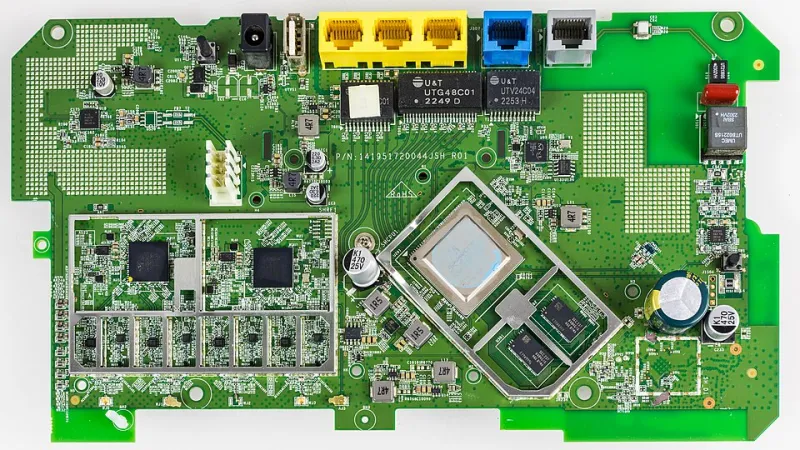
Photo: Dontpanic, Public domain, via Wikimedia Commons
The average American household holds more dormant smartphones than people. They sit in kitchen drawers, glove compartments, and shoeboxes, and each year a meaningful share of them re-enter circulation — sold on marketplace apps, handed to trade-in kiosks, donated to charity drives, or dropped off at electronics recyclers. Most owners assume that signing out of accounts, or letting the device die in a drawer, is enough to sever the connection between the phone and the life it recorded.
A growing body of evidence suggests otherwise.
The Experiment in the Drawer
For this story, we spoke with an independent researcher who spent several months buying used smartphones and tablets from secondary-market channels available to any consumer: online resale platforms, pawn shops, and refurbishers' clearance listings. The purchases were made legally and at ordinary prices, and the goal was simple — to catalog what the previous owners had left behind.
The results were uneven but troubling. Of the devices acquired, a number arrived effectively clean, wiped by responsible sellers or by manufacturers' factory-reset protections. Others told a different story. On several units, the researcher found remnants of the prior owner's digital life: cached photos and videos, saved Wi-Fi credentials, browser history, autofill fragments, text message databases, and in the most serious cases, active accounts still signed in — email, cloud storage, banking apps with remembered sessions.
The pattern across the clean and contaminated devices was consistent. The difference was almost never the sophistication of the owner. It was whether they knew the correct procedure — and whether they followed it to the end.
Why Signing Out Isn't Enough
Modern smartphones encrypt user data by default, and a proper factory reset destroys the encryption key, rendering the stored information unrecoverable. That is the mechanism most people rely on, often without knowing it. The problem arises at the edges of that process.
A device that is reset while still signed into an account with activation locks — Apple's Find My or Google's device protection, for instance — can lock out the next user, prompting sellers to skip the reset entirely and hand over a phone still brimming with data. Others reset from a computer or recovery menu in ways that leave storage partitions intact on older hardware. And devices with encrypted storage that were reset before encryption was enabled — common on aging Android handsets — may leave data recoverable with widely available forensic tools.
There is also the human factor. A surprising number of devices reach the secondary market because of a dead battery or a broken screen, and owners frequently abandon the wiping process when the phone will not cooperate mid-procedure. An unfinished reset is often worse than none at all: it signals that the owner tried, and then gave up.
The Stakes
What can a stranger actually do with a phone that remembers too much? The researcher's findings sketch the outline. Saved email access enables password resets across a victim's entire online life. Cached photos can feed identity fraud. Message databases expose contacts, verification codes received in the past, and personal material that can be used for extortion. Even residual fragments — a partial autofill entry, a synced browser session — can serve as reconnaissance for a targeted phishing attempt.
For the original owner, the consequences tend to surface months later: an account takeover, a suspicious password-reset email, a strange charge. Connecting the incident to a phone sold the previous spring is rarely easy.
Doing It Right: A Practical Sequence
The good news is that the correct procedure is short, free, and works for virtually any modern device. Security researchers and the major manufacturers' own documentation converge on the same sequence.
1. Back up what matters. Before anything else, confirm that photos, contacts, and documents are safely copied to a cloud account or computer. A wipe is deliberately thorough.
2. Unpair and unlink accessories. Disconnect smartwatches, earbuds, and vehicle pairings so the devices don't retain lingering connections.
3. Sign out of every account, not just the obvious ones. Email, cloud storage, banking, social platforms, and any two-factor authentication apps. On iPhones, sign out of iCloud specifically — this disables activation lock and is the step most often skipped. On Android, remove the Google account from device settings.
4. Deregister the device from services that remember it. Remove it from your account's device list with your carrier, manufacturer, and any payment services.
5. Encrypt first if the device is old. On older Android phones that lack forced encryption, run the encryption option in settings before resetting, so any residual data is scrambled beyond recovery.
6. Perform the factory reset from the settings menu — not from a recovery console — and let it run to completion.
7. Verify. Restart the phone and confirm it greets you with a fresh setup screen, not your home screen. If your accounts still appear, the job isn't done.
8. For devices too damaged to boot, physically destroying the storage — or using a certified recycler that provides documented data destruction — is the only reliable option. Reputable US e-waste recyclers with NAID or R2 certification will issue a certificate of destruction on request.
A Market Slowly Learning
There are reasons for cautious optimism. Trade-in programs run by major carriers and manufacturers have professionalized their wiping procedures, and federal laws like the Right to Repair movement's state-level gains have pushed better documentation of reset processes. Refurbishers who fail to sanitize devices face both reputational and, in some cases, legal exposure under data-breach notification statutes.
But the secondary market remains a patchwork, and the person best positioned to protect your data is the one holding the phone last: you. The drawer is not a secure storage facility. It is a waiting room — and eventually, one way or another, the device leaves it.
A phone is the most intimate object most people own short of their own thoughts. Letting it go carelessly is less like selling a used car and more like handing a stranger your filing cabinet, still locked, with the key taped to the back. The fix takes ten minutes. The alternative can take years to unwind.